

How to Watch International TV Online for Less
Cable makes global entertainment feel unnecessarily expensive. One household may want U.S. local news, another wants Premier League coverage, and someone else wants channels from Latin America, Europe, the Middle East, or Asia. Buying separate apps and oversized cable bundles can turn a simple night of TV into a high monthly bill.
If you want to watch international TV online, the smarter approach is choosing a service that puts live channels, sports, movies, and worldwide programming in one easy place. The right setup gives your household more choices, more screens, and far less friction than traditional cable.
Why International TV Is Worth Having
International programming is not just for multilingual homes. It is for anyone who wants more than the same narrow group of channels offered by standard TV packages. You can follow news from another country, watch soccer and other major sports, keep up with overseas entertainment, or enjoy familiar shows while traveling or living abroad.
For many families, international channels are personal. They help parents stay connected to language and culture, give grandparents familiar programming, and let kids hear the language spoken at home. For sports fans, they can also mean access to broader coverage, international commentary, and leagues that are often hard to find in a standard cable lineup.
The problem is that cable companies tend to charge extra for specialty packages. Costs add up quickly when you need live TV, sports, premium movies, local channels, and programming from multiple regions. Online TV services are appealing because they can bring those needs together at a much lower price.
How to Watch International TV Online Without the Cable Bill
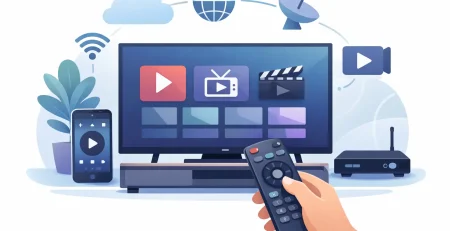
The basic process is simple: choose a subscription plan, receive your login details, install a compatible player or app on your preferred device, and start watching. The experience should take minutes, not days. No technician appointment, no bulky hardware rental, and no long contract should stand between you and your channels.
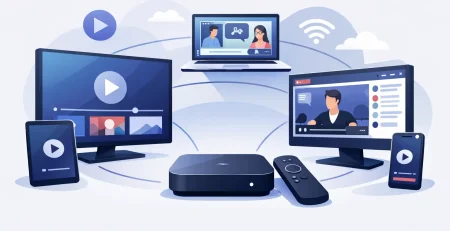
That convenience matters when your household watches on more than one screen. A parent may use the living room smart TV, a student may watch on a tablet, and someone else may follow a game on a phone. Instead of fighting over one cable box, multi-device access lets everyone watch what they want where they want.
Crypto PAY IPTV is built around that kind of flexibility, with affordable plans, fast activation, and support for up to 10 simultaneous connections depending on the plan. It is a practical option for viewers who want broad international programming without paying premium cable prices every month.
Still, the best plan depends on your viewing habits. A short-term subscription makes sense if you want to test device compatibility and channel variety first. A longer plan can offer better value if your household watches live TV every day and wants a dependable alternative to cable.
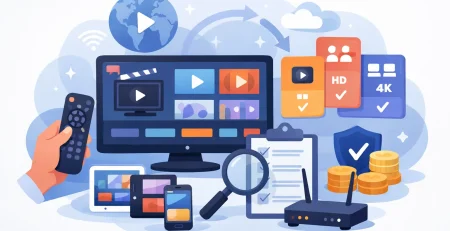
What to Look for in an International TV Service
A low price gets attention, but it should not be the only reason you choose a provider. Cheap service is only a good deal when it works on the devices you own and delivers the content you actually want to watch.
Channel variety by region and interest
Start with the countries, languages, and categories that matter most. Some viewers prioritize U.S. and Canadian channels alongside international news. Others are looking for Arabic, Spanish, French, South Asian, European, or Latin American programming. Sports, movie channels, kids’ content, and local stations may be just as important.
Do not assume every service carries every regional channel or every event. Channel lineups can change, and sports rights vary by market. Before subscribing, make sure the service is transparent about what it includes and whether its content is authorized for your location.
Device compatibility that fits real life
The service should work where you watch. That may include smart TVs, streaming devices, Android boxes, phones, tablets, laptops, and desktop computers. A provider that supports multiple device types gives you the freedom to move from the couch to the kitchen or take your viewing with you.
Compatibility is more than seeing an app in a store. Check whether your device has enough storage, whether your internet connection is stable, and whether the player supports the credentials or playlist format the provider supplies. Fast setup is great, but a few minutes of preparation avoids frustration later.
Stream quality and reliable playback
HD channels can make live sports, movies, and news much more enjoyable, especially on a large screen. But quality is affected by your internet speed, Wi-Fi signal, device performance, and the source stream itself. A provider can offer HD options, but no service can overcome a weak home network.
For a strong experience, use a modern streaming device and connect by Ethernet when possible. If Wi-Fi is your only option, place your router in an open, central location and avoid running too many heavy downloads during a big match or live event.
Enough connections for your household
One connection may be enough for a solo viewer. It is rarely enough for a busy home. Multiple connections matter when family members want to watch different channels at the same time on separate devices.
This is where a higher connection limit can provide real value. It reduces arguments over the remote and eliminates the need to buy duplicate plans for every person in the house. Just be clear about the provider’s connection rules and use the account according to its terms.
Set Up Your International TV Streaming in Minutes
A good service should feel straightforward from the first screen. Once you select your plan and complete the purchase, watch for your login credentials in your email. Keep that message handy because it typically includes the information needed to sign in on your chosen player.
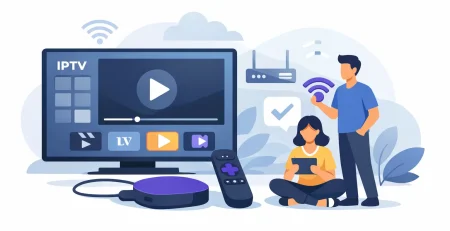
First, install a compatible IPTV player or use the supported app for your device. Next, enter the username, password, and server details provided with your subscription. Give the channel guide a moment to load, then organize your favorites so your most-watched news, sports, movie, and regional channels are always easy to find.
If playback is buffering, do not immediately assume the subscription is the problem. Restart your device and router, test another channel, and check whether other people in your home are using bandwidth-heavy apps. Switching from Wi-Fi to a wired connection can make a noticeable difference for live TV.
Get More Value From Every Screen
The biggest advantage of online television is not simply having more channels. It is building a setup that matches the way your household actually watches. Put the main TV experience in the living room, use a tablet in the kitchen, and keep a mobile option ready for travel or game day.
Create favorites folders by language, country, or content type. A simple organization system saves time when there are hundreds or thousands of channels available. You can keep local news in one group, international sports in another, and family entertainment in a third.
It also helps to set realistic expectations around live broadcasts. Major sporting events and breaking news attract huge audiences, which can put pressure on internet connections everywhere. Testing your setup before an important match is a smart move. Update your app, confirm your credentials work, and make sure your home network is ready before kickoff.
A Better Way to Watch Global Entertainment
Traditional cable was designed around fixed boxes, limited packages, and higher bills. Online TV gives viewers a faster, more flexible alternative: choose a plan, activate quickly, and watch across the screens you already own. The strongest option is not necessarily the one with the flashiest promise. It is the one with the regional content, device support, connection count, and customer help your household needs.
Choose programming that keeps you connected to the sports, stories, languages, and places that matter to you. With the right plan and a solid internet connection, your living room can feel a lot bigger without making your monthly bill bigger too.







Leave a Reply