
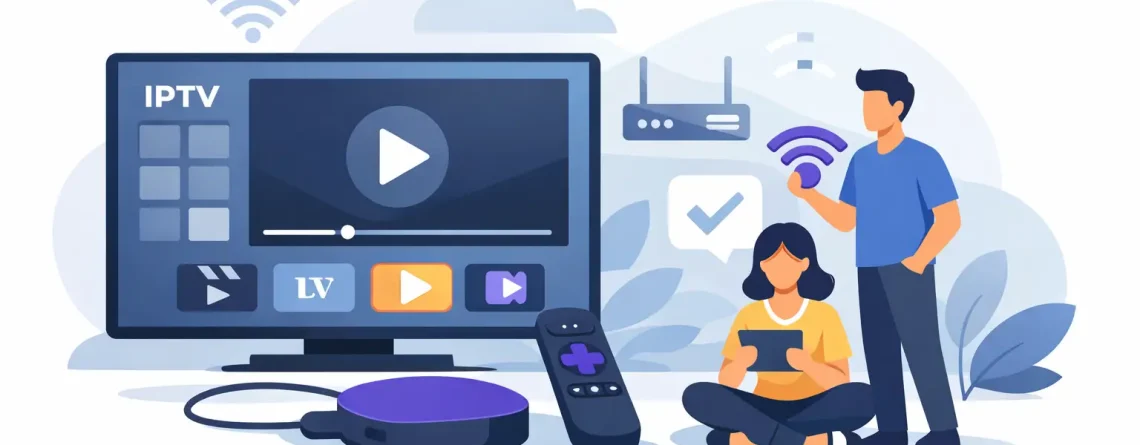
Does IPTV Work on Roku? Yes – Here’s How
Roku is one of the first devices people ask about when they want cheaper TV. That makes sense. It is affordable, easy to use, and already sitting in millions of living rooms. So, does IPTV work on Roku? Yes – but not in the same straightforward way you might expect from Android TV or Firestick.
That detail matters. If you want live sports, movie channels, local stations, and international content without paying cable prices, Roku can still be part of the setup. You just need to understand what Roku supports, what it limits, and the fastest way to get streaming without wasting time.
Does IPTV work on Roku in 2026?
Yes, IPTV can work on Roku, but the experience depends on the player app, the format your service provides, and how much flexibility you want. Roku is more restrictive than some other streaming devices. It does not give users the same open app environment you get on Android-based platforms, so IPTV setup is often less plug-and-play.
That does not mean it is a bad option. For many households, Roku still works well for IPTV if the provider supports a compatible app or method. If your goal is simple streaming on a familiar device, Roku can absolutely get the job done. If your goal is maximum app freedom and advanced customization, there are better device choices.
The key point is this: IPTV on Roku is possible, but compatibility comes first. Before you buy a plan, make sure your provider supports Roku-friendly playback.
Why Roku setup is different from Firestick or Android TV
Roku is built for simplicity, and that is exactly why some IPTV users hit limits.
On Android TV or Firestick, users can often install a wide range of IPTV player apps directly, including apps added outside the main store. Roku does not work that way. Its ecosystem is tighter, and that means fewer IPTV player options. For the average viewer, that can be a benefit because the interface stays clean and easy. For users who want total control, it can feel restrictive.
This is where expectations matter. If you want a quick, living-room-friendly device and your IPTV service already works with Roku-supported apps, you are in good shape. If you like testing different players, tweaking settings, or loading niche apps, Roku may feel limiting.
How IPTV usually works on Roku
Most Roku IPTV setups rely on a compatible IPTV player or screen mirroring from another device. The exact method depends on what your provider gives you.
Some services provide playlist access such as M3U details or portal-based login that can be used with supported players. Others are built around their own app systems, which may or may not include Roku support. In practical terms, the process usually looks like this: you choose a service, receive your login details, install the correct player if available, and connect your subscription.
If there is no direct Roku player option, many users mirror content from a phone, tablet, or Windows PC to the Roku device. That works, but it is less convenient than launching a dedicated app from the Roku home screen.
This is why provider support matters more than the Roku box itself. A strong IPTV service makes setup faster, cleaner, and less frustrating.
What you need before you start
If you are asking does IPTV work on Roku because you want a fast answer and a fast setup, focus on three things first.
You need a stable internet connection. HD and live sports streams need enough speed to stay smooth, especially if multiple people in the house are watching at once.
You need a Roku-compatible method. That could be a supported app, channel access, or a casting and mirroring option.
And you need an IPTV provider that delivers clean credentials, clear instructions, and responsive support. That last part is where many people save or lose hours. Good service gets you watching faster. Bad service leaves you guessing.
Best case and worst case for Roku users
The best case is simple. Your provider supports a Roku-friendly player, setup takes a few minutes, and you are watching live channels on your TV with no extra hardware. That is the ideal path for households that want affordable TV without the cable bill.
The worst case is also simple. You sign up with a provider that only works well on Android-based devices, then try to force it onto Roku through workarounds. It may still function, but the experience can feel clunky. Menus may be limited. Switching channels may be slower. Support may be weaker because Roku was never the main target platform.
That does not make Roku a wrong choice. It just means Roku users should buy smarter. Check compatibility first, then choose the service.
Does IPTV work on Roku well enough for live sports and family viewing?
Usually, yes – if the service is stable and the setup is matched correctly.
For live sports, the real issue is not whether IPTV works on Roku at all. The bigger issue is stream stability, channel quality, and how well the provider handles peak traffic. A cheap subscription is only a bargain if the game stays on when everyone else is watching too.
For family viewing, Roku can be a good fit because the interface is familiar and easy to navigate. If your household wants one remote, one TV screen, and quick access to entertainment, Roku keeps things simple. The trade-off is flexibility. It is less ideal for users who want a lot of app experimentation.
The setup trade-off most people should know
There is no reason to overcomplicate this. Roku is convenient, but it is not the most open platform for IPTV.
That means you are trading some flexibility for simplicity. Many people are happy with that trade. They want lower monthly costs, fast activation, and channels on the screen tonight. They do not care about advanced settings. They just want it to work.
Others want more freedom, more app choices, and more direct control over their IPTV player. In that case, a different device may fit better.
If your top priority is getting broad channel access on a device you already own, Roku is often good enough. If your top priority is having the widest possible IPTV app support, Roku is usually not the leader.
How to choose the right IPTV service for Roku
This is where buyers should be aggressive about asking the right questions.
Do they support Roku directly, or do they expect you to cast from another device? Do they provide easy-to-follow setup instructions? Do they respond quickly if login details do not work right away? Do they offer enough channels and stable HD quality to actually replace expensive cable or bloated live TV bundles?
Price matters, but support matters too. A low-cost plan with confusing setup is not a win. A provider that delivers fast activation, clear credentials, broad channel selection, and real customer help gives you the better deal.
That is why many viewers look for services built around speed, convenience, and multi-device flexibility. If Roku is one screen in a larger household setup, it helps when the same subscription can also work across phones, tablets, and other streaming devices. Crypto PAY IPTV is one example of the kind of service customers look at when they want that mix of affordability, fast setup, and broad device access.
When Roku is a smart choice for IPTV
Roku is a smart choice if you already own one, want to keep costs down, and prefer a familiar interface over endless tweaking. It is also a solid option for casual users who just want live TV, movies, sports, and international channels without signing another cable contract.
It is especially practical for people who do not want to buy another device just to test IPTV. If your provider supports Roku well, that saves money and gets you streaming faster.
When Roku may not be your best option
If you care about installing many different IPTV apps, testing custom players, or having maximum control, Roku may feel limited. In that case, you may prefer a more open streaming platform.
That is not a knock on Roku. It is just about fit. The best device is the one that matches how you watch.
So, does IPTV work on Roku? Yes, and for plenty of viewers it works well enough to make cable look overpriced. Just make sure your provider supports the device properly, your internet can handle live streaming, and your setup matches the kind of viewing you actually want. If you choose those three things well, Roku can be the easiest way to get more channels for less money tonight.





Leave a Reply