
IPTV for Beginners Guide: Start Streaming Fast
Cable prices keep climbing, yet most people still watch the same few categories – live sports, local channels, movies, news, and international content. That is exactly why an iptv for beginners guide matters. If you are new to IPTV, the good news is simple: getting started is usually faster, cheaper, and more flexible than dealing with a traditional TV provider.
What IPTV means in plain English
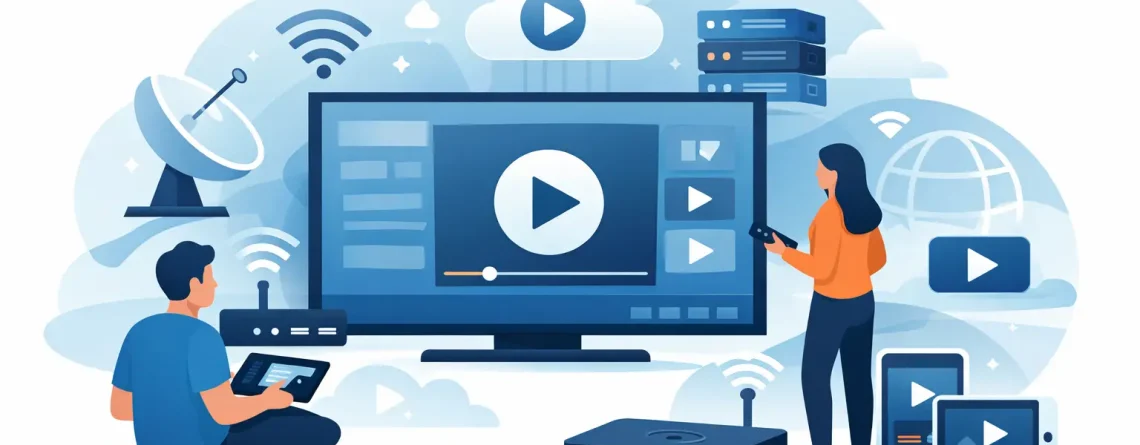
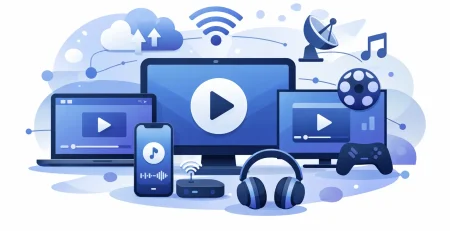
IPTV stands for Internet Protocol Television. Instead of receiving channels through old-school cable lines or a satellite dish, you stream TV through your internet connection. That means live TV, on-demand content, sports, and international programming can be delivered to your smart TV, phone, tablet, Firestick, laptop, or Android box.
For most beginners, the main appeal is obvious. You get more choice, lower monthly costs, and less hassle. No technician visit. No bulky cable box rental. No long contract if you do not want one.
That said, IPTV is not magic. Your experience depends on three things: the service you choose, the device you use, and the quality of your internet. Get those right, and setup can take minutes.
IPTV for beginners guide: what you actually need
You do not need a complicated home theater setup to start watching IPTV. In most cases, you need a stable internet connection, a compatible device, and login details from your provider. That is it.
A smart TV works well for people who want the easiest living room experience. A Firestick or Android TV box is popular because it is affordable and simple to use. Phones and tablets are great if you want portability. Laptops are useful if you want to test a service before making IPTV your main TV option.
Internet speed matters more than people think. If your connection is weak, streams can buffer, especially in HD or during busy live events. A strong home Wi-Fi setup can work fine, but wired Ethernet is usually the better option for the most stable stream on a main TV.
You also need an IPTV app or player in many cases. The provider supplies the subscription, while the app is the interface where you log in and watch channels. Some services support multiple apps, which gives you more flexibility. That can be a big advantage if your household uses different devices.
How IPTV works for a new user
Once you buy a plan, the provider usually sends your login details by email. That may include a username and password, an M3U playlist, or portal information for a compatible app. You enter those details into your IPTV app, wait for the content to load, and start browsing channels.
That is why many people switch so quickly. The process is usually direct. Pick a plan, receive access, connect your device, and stream. Good providers keep this part simple because beginners do not want a tech project. They want TV that works.
There can be small differences between services. Some focus heavily on live channels. Others put extra effort into sports packages, movie libraries, or international categories. Some offer multiple connections so different people in the same home can watch on separate screens at the same time. If that matters to you, check it before you buy.
Choosing a service without wasting money
The biggest beginner mistake is shopping by price alone. Low pricing is a huge benefit, but it should not be the only thing you look at. A cheap plan that freezes during the game is not a bargain.
Start with channel coverage. Make sure the service fits how you actually watch TV. If you care most about sports, look at sports coverage first. If your household needs local US channels, kids content, movie channels, and international options, make sure those are clearly included.
Then look at device compatibility. A service can sound great until you realize it does not work well on the devices you already own. If you want to stream across a smart TV, phone, and tablet, compatibility matters from day one.
Support also matters more than beginners expect. Setup is often quick, but questions still come up. Maybe you need help loading credentials. Maybe an app behaves differently on one device. Fast customer support can save a lot of frustration.
This is where a provider like Crypto PAY IPTV fits naturally for budget-focused households. The appeal is clear – low-cost access, fast activation, wide device support, and multiple connections for families who want more screen freedom without cable-sized bills.
The setup process step by step
Most beginners imagine IPTV setup is technical. Usually, it is not. The process is closer to logging into a streaming service than installing a cable package.
First, choose your plan based on how long you want to test the service and how many connections you need. A short-term option makes sense if you are trying IPTV for the first time. A longer plan can offer better value if you already know what you want.
Next, check your device. If you already own a smart TV or streaming stick, confirm that it supports the app or player required by your provider. Then install the app and keep your login details ready.
After that, enter the credentials exactly as provided. This part matters. Small typing errors can stop the login from working. Once logged in, give the app a moment to load channels, categories, and any available on-demand content.
Then test the experience before settling in. Open a few live channels. Try a sports stream, a local channel, and a movie channel. Check picture quality. See how quickly channels switch. This gives you a real sense of whether your internet and device are performing well.
Common beginner problems and what causes them
Buffering is the issue most people worry about first. Sometimes the service is the problem, but often it comes down to internet speed, Wi-Fi strength, or an overloaded device. If you are streaming on weak Wi-Fi from the far side of the house, performance can drop fast.
App problems are another common issue. Not every IPTV player feels polished on every device. One app may run smoothly on a Firestick and feel clunky on an older smart TV. That is why flexibility matters. If your provider supports more than one app option, you have room to improve the setup.
Login errors are usually simple. Credentials may be entered incorrectly, the wrong app may be used, or the account may not be fully activated yet. A good support team can usually clear this up quickly.
Channel organization can also surprise first-time users. IPTV services often offer huge libraries, and that can feel overwhelming at first. The upside is obvious – more content, more countries, more categories. The trade-off is that it may take a little time to learn your favorites list and app layout.
Is IPTV right for every household?
Usually, yes, but it depends on how you watch TV. If your home wants flexible access across multiple devices, a lower monthly cost, and faster setup than cable, IPTV makes a strong case. If you mainly stream through the internet already, it feels like a natural fit.
But if your home internet is unreliable, the experience can suffer. IPTV depends on connectivity. Traditional cable does not lean on your Wi-Fi in the same way. That does not make IPTV a bad choice – it just means your internet setup needs to be good enough for the job.
It also depends on expectations. Some users want a simple replacement for expensive TV bills. Others want maximum channel volume, global content, and sports access across several screens. The best service for a single user may not be the best service for a large family.
What makes IPTV such a strong cable alternative
The value is hard to ignore. You can often get access to a much wider range of content for far less than a traditional bundle. That includes live TV, sports, movie channels, and international programming that would cost much more through older providers.
The flexibility is just as important. You are not tied to one room, one box, or one viewing habit. You can watch in the living room, on your phone, or on a travel device. For households with multiple viewers, multi-connection access can be a major upgrade.
Fast activation is another big win. Instead of waiting days for installation, many services get you watching quickly after purchase. For buyers who want convenience now, that speed matters.
Final thought for first-time buyers
If you have been paying too much for too little, IPTV is worth a serious look. Start with your device, your internet, and the channels you care about most. Keep it simple, choose a service built for fast setup and real value, and you can go from curious beginner to fully streaming in less time than it takes to argue with a cable company.

Leave a Reply