
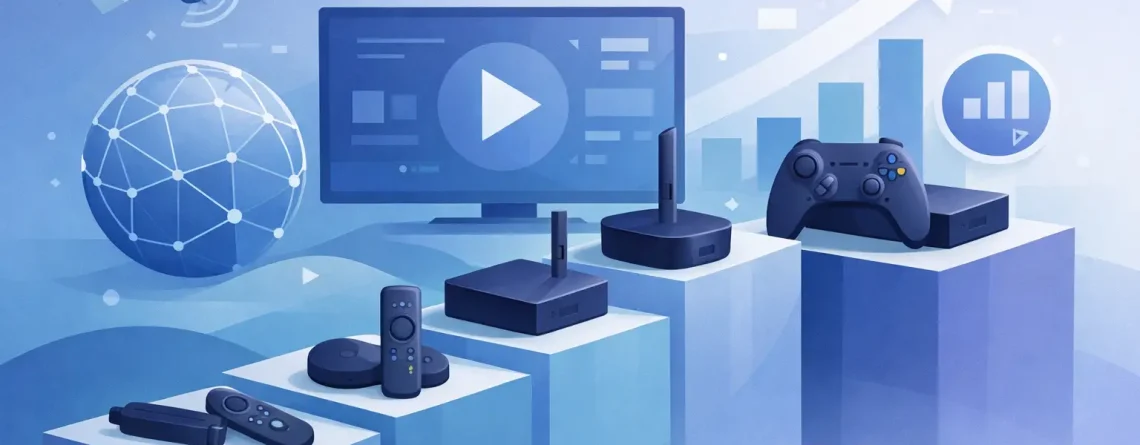
7 Streaming Devices Ranked for 2026
Cable bills keep climbing, but the hardware you use matters just as much as the service you choose. If you want streaming devices ranked by real-world value, speed, app support, and live TV performance, this list cuts through the noise and gets straight to what works.
For most households, the right device is not the most expensive one. It is the one that loads fast, handles live channels without stuttering, supports the apps you actually use, and does not turn setup into a weekend project. That matters even more if you stream sports, bounce between live TV and movies, or want multiple screens running in the same home.
Streaming Devices Ranked by Real Value
This ranking is built for people who care about price, reliability, and convenience. Not lab specs. Not marketing hype. Just the stuff that affects your night on the couch.
1. Amazon Fire TV Stick 4K Max
If you want the best balance of price and performance, this is the one to beat. The Fire TV Stick 4K Max is fast, widely compatible, and easy to set up. It works especially well for people who stream live TV apps, sports packages, on-demand libraries, and IPTV platforms from a single interface.
The biggest win here is value. You get strong 4K support, solid Wi-Fi performance, and a platform with broad app availability without paying premium-box money. Menus are not perfect, and Amazon pushes its own content hard, but for pure bang for your buck, it stays near the top.
If your priority is affordable streaming that just works, this device earns its spot.
2. Roku Streaming Stick 4K
Roku remains one of the easiest picks for families and non-tech users. The interface is clean. The app support is strong. The learning curve is almost zero. If you want something simple enough for anyone in the house to use, Roku still delivers.
Where it shines is ease of use. It does not try to overwhelm you with extras. You plug it in, connect to Wi-Fi, sign in, and start watching. For households switching from cable, that simplicity is a real advantage.
The trade-off is flexibility. Power users often find Roku a little locked down compared with Fire TV or Android-based devices. If you like tinkering, custom app behavior, or broader install options, Roku may feel limited. If you want straightforward streaming with minimal hassle, it is one of the smartest buys.
3. Apple TV 4K
Apple TV 4K is the premium choice. It is fast, polished, and powerful enough to feel overbuilt in the best way. App switching is snappy, video playback is smooth, and the overall experience feels more refined than budget sticks.
This is a strong fit for users already inside the Apple ecosystem. If you use iPhones, AirPods, or other Apple gear, the device becomes even more convenient. Streaming quality is excellent, and live TV apps generally perform very well.
The obvious downside is price. It costs much more than sticks that already handle the basics well. For some buyers, that premium is worth it. For others, it is hard to justify when lower-cost devices cover 80 to 90 percent of the same streaming needs.
4. NVIDIA Shield TV
The Shield TV still has a loyal following for a reason. It is fast, capable, and built for users who want more control. It handles streaming well, supports a wide range of apps, and offers extra muscle for media playback, gaming, and advanced setup preferences.
For IPTV users and heavy streamers, that flexibility can be a major plus. The Android TV base gives you more room to customize the experience than platforms like Roku. If you want a box that does more than just launch Netflix and call it a day, the Shield keeps itself relevant.
But there is a catch. It is expensive, and for average viewers, it may be more machine than necessary. If you are just trying to stream live channels, movies, and sports on a budget, there are cheaper options that get the job done.
5. Google TV Streamer
Google has improved a lot in this category. The newer Google TV hardware offers a cleaner experience than older Chromecast models, and the interface does a decent job of pulling content together in one place. Voice search is strong, and Android app support is a big advantage.
This device works best for users who like smart recommendations and a modern-looking interface. It is also a good option if you already use Google services around the house. Setup is usually quick, and navigation feels more polished than it used to.
The weak point is consistency. Some users love the content-first design, while others find it cluttered. That is the recurring theme with Google TV – strong features, but not everyone likes how aggressively it organizes your screen for you.
6. Onn Google TV 4K Pro or Onn 4K Stick
If price is your first filter, Walmart’s Onn devices deserve attention. They have become popular because they offer a lot for very little money. You get access to Google TV, decent everyday performance, and broad app support at a fraction of what premium boxes cost.
That makes them attractive for spare rooms, guest rooms, kids’ TVs, or anyone trying to equip multiple screens without overspending. For a household cutting cable costs, that matters.
The trade-off is that build quality and long-term smoothness are not always on the same level as top-tier brands. They can be a smart buy, but they are not the first pick if you want the most polished experience in your main living room.
7. Fire TV Stick Lite
This is the budget pick for the buyer who wants the lowest barrier to entry. If your TV is older, your expectations are basic, or you just need an extra device for casual use, the Fire TV Stick Lite can still make sense.
It covers the essentials, and setup is fast. For simple HD streaming, it can do the job without much pain. But it lands lower in these streaming devices ranked because performance is more limited, especially once you start juggling heavier apps, live TV guides, or a lot of channel switching.
Buy it for a secondary screen, not for your best TV.
How to Choose From These Streaming Devices Ranked
The best device depends on how you watch. If you stream live sports every night, speed and Wi-Fi stability matter more than a pretty home screen. If you want something your whole family can operate without asking for help, simplicity matters more than customization.
For bargain-focused buyers, Fire TV Stick 4K Max and Roku Streaming Stick 4K are the strongest all-around picks. They sit in the sweet spot where affordability meets solid performance. If you are building out several TVs in one home, that matters a lot more than fancy extras.
For premium users, Apple TV 4K is hard to beat. It feels fast because it is fast. If you hate lag, clutter, and sluggish menus, Apple earns the premium price more than most tech products do.
For advanced users, NVIDIA Shield TV still has a place. It is not the value king, but it gives you more freedom than many mainstream devices. That freedom matters if your setup is more than basic streaming.
What Matters Most for Live TV and IPTV
Not every streaming device handles live content equally well. On-demand streaming is easy. Live TV is less forgiving. You notice buffering faster, navigation speed matters more, and channel switching becomes part of the daily experience.
That is why processor speed, memory, Wi-Fi strength, and app compatibility should be near the top of your checklist. A cheap stick that saves you a few dollars up front can feel expensive later if it freezes during the game or struggles to load your guide.
This is also where practical value beats brand reputation. A device can have a big name and still not match your viewing habits. For affordable, fast-moving television across multiple screens, many buyers pair flexible hardware with cost-effective services built for instant setup and broad compatibility, which is exactly why platforms like Crypto PAY IPTV appeal to cable-cutters who want more content without the heavy monthly bill.
The Real Winner Is the Device That Fits Your Budget
There is no single perfect streamer for everyone. That is the truth. A premium box is not automatically the best choice, and the cheapest stick is not always the best deal.
If you want the safest recommendation for most people, go with Fire TV Stick 4K Max. If you want the easiest interface, choose Roku Streaming Stick 4K. If you want the best premium experience, Apple TV 4K is your move. If you want flexibility and power, Shield TV still brings it.
The smart play is to match the device to the room, the viewer, and the way you actually watch. Spend where performance counts. Save where it does not. That is how you build a better streaming setup without rebuilding your monthly budget.




Leave a Reply