
How Many Devices for IPTV Does Your Home Need?
A big game is on in the living room, someone is watching a movie in the bedroom, and another person wants local news on a phone. That is when the question of how many devices for IPTV stops being technical and becomes a household decision. Buy too few connections and somebody gets kicked off. Buy more than you need and you are paying for capacity that sits unused.
The right number is not based on how many screens you own. It is based on how many people may want to watch different content at the exact same time. For most homes, that distinction saves money and avoids frustration from day one.
Device Support vs. Simultaneous Connections
First, separate two terms that often get confused: supported devices and simultaneous connections.
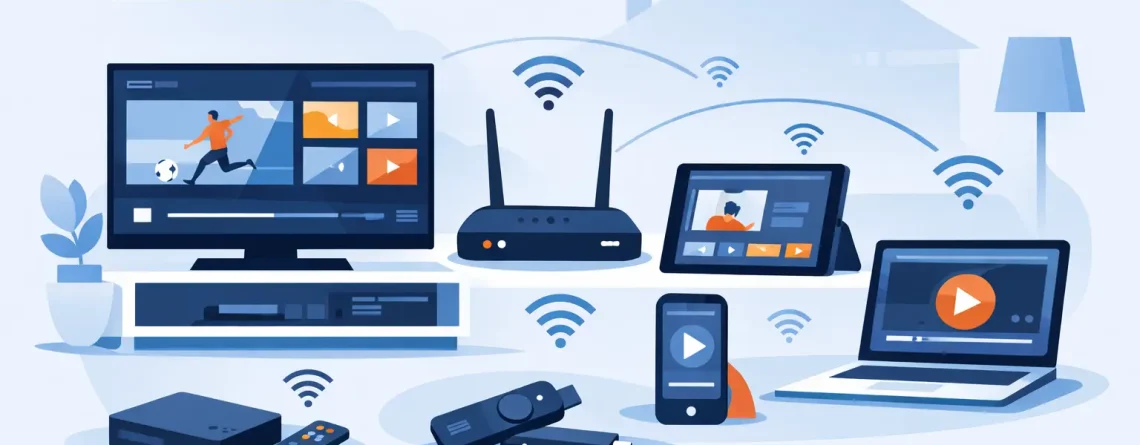
A supported device is any screen where you can install a compatible IPTV app or use your credentials. That may include a Smart TV, streaming box, Fire TV device, Android phone, iPhone, tablet, laptop, or desktop computer. You might set up your account on eight or ten devices over time without needing eight or ten active streams.
A simultaneous connection is different. It is one stream playing at one time. If your TV is playing live sports and your phone is playing a movie at the same time, that uses two connections. If the app is installed on a tablet but nobody is watching it, it uses zero.
This is the number that matters when choosing a plan. A single-connection plan can still be used on multiple devices, but only one screen can stream at a time. Try to start a second stream and you may get an error, a playback interruption, or a forced sign-out on the first device.
How Many IPTV Connections Do You Actually Need?
Start with your busiest viewing hour, not a quiet weekday morning. Think about Sunday football, a major pay-per-view event, a family movie night, or the evening when everyone is home. Count the separate streams that could be running at once.
A person living alone usually needs one connection. It covers a living-room TV, phone, and laptop because only one is likely to be in use at a time. A couple often does well with two connections, especially if one person watches sports while the other prefers shows, movies, or international channels in another room.
Families should plan more generously. Two connections can be enough for a small household, but three to five is usually more comfortable when adults and kids watch separately. Larger households, shared homes, and viewers who regularly use TVs in multiple rooms may benefit from six or more connections.
Here is a practical way to match your plan to your household:
- One connection: Solo viewers who watch on one screen at a time.
- Two connections: Couples, roommates, or a main TV plus one independent viewer.
- Three to five connections: Families with separate viewing habits and multiple active rooms.
- Six to 10 connections: Large households that want maximum flexibility across TVs, phones, tablets, and travel devices.
Do not count every screen in the house. Count real overlap. A home with five televisions may only need two connections if only two people ever watch different programs at once. On the other hand, a home with two televisions may need three connections if someone also streams on a phone during live events.
Think About Your Viewing Habits, Not Just Your Household Size
The number of people at home is a useful starting point, but it is not the full story. Some households watch together on one big screen. Others treat every room as its own entertainment zone.
Sports fans often need extra room. One person may want the main game on the TV while another follows a different matchup on a tablet. During busy sports weekends, a one-stream plan can feel restrictive fast. The same applies to homes with international viewers who watch programming from different countries at different times.
Travel matters too. If you use IPTV on the road, your mobile stream may overlap with someone watching at home. A second or third connection gives you that freedom without asking someone else to stop watching.
Also consider background viewing. Some users leave news, music channels, or kids’ programming on while they watch something else. That still counts as an active stream. If this happens often, build in an extra connection rather than running your account at its limit every night.
Your Internet Speed Still Sets the Limit
More connections give your household more freedom, but they do not create more internet bandwidth. Every active stream uses part of your home connection. If your internet is already slow or unstable, adding more simultaneous screens can lead to buffering, lower picture quality, or lag during peak hours.
For standard HD viewing, a reliable connection of around 10 Mbps per active stream is a sensible starting point. For higher-resolution streams, fast motion sports, or several people watching at once, plan for more. A household running four HD streams should have much more than 40 Mbps available in real-world conditions, especially if people are gaming, video calling, downloading files, or using smart-home devices at the same time.
Wi-Fi quality matters just as much as the speed advertised by your internet provider. A fast plan will not help much if the bedroom TV is struggling to connect through several walls. Place your router centrally, use a wired Ethernet connection for the main TV when possible, and consider a mesh Wi-Fi system for larger homes.
Before upgrading your IPTV plan, test your home network during the busiest part of the day. Run streams on the devices your family actually uses. If the picture stays clear and playback stays stable, your internet is ready for more connections. If not, improve the network first.
Avoid the Most Common Multi-Device Mistakes
The first mistake is choosing a plan based only on price. A one-connection plan may look like the cheapest option, but it becomes poor value if family members constantly compete for the screen. Paying a little more for the right number of connections is often the better deal.
The second mistake is sharing credentials outside your household. It may sound convenient, but it can create playback conflicts, expose your account details, and violate the provider’s account rules. Keep access within the terms of your subscription and choose a connection count that fits the people you intend to serve.
The third mistake is assuming every device performs the same. An older TV app, low-storage streaming stick, or weak Wi-Fi signal can affect playback even when your plan includes enough connections. Keep apps updated, restart devices when needed, and use modern hardware for the screens you rely on most.
Finally, remember that live TV can be more demanding than browsing or checking social media. If the stream is buffering during an important game, pause other heavy internet activity before blaming the service. A download running in the background can make a noticeable difference.
When Up to 10 Connections Makes Sense
A plan with up to 10 simultaneous connections is not just for huge families. It can work well for households with several TVs, adult children, frequent guests, multiple sports fans, or viewers who regularly move between home and travel devices. It is also a smart choice for people who do not want to monitor every active screen.
Crypto PAY IPTV is built for viewers who want broad device compatibility and room to watch their way. With plans designed for multi-device streaming, you can set up the screens you use most and choose the connection level that matches real demand instead of paying cable prices for channels and equipment you do not want.
Still, bigger is not automatically better. If one or two people live in your home and rarely watch separately, a high connection count may be unnecessary. The best plan is the one that gives everyone access during your busiest hours without wasting budget.
Choose for Your Busiest Night
The easiest answer to how many devices for IPTV is this: choose one connection for every stream your household may realistically run at the same time, then add one if you want breathing room. That extra flexibility can be the difference between a relaxed movie night and an argument over who gets the TV.
Start with your real habits, check your internet capacity, and pick a plan that keeps every screen ready when the action starts. Great entertainment should fit your household, not force your household to take turns.




Leave a Reply