
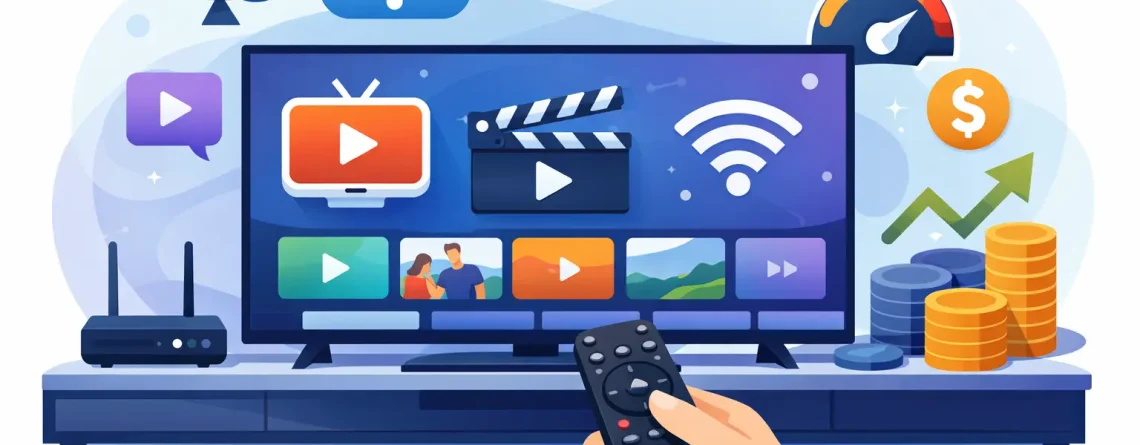
IPTV on Smart TV: Fast Setup, Better Value
Cable feels expensive the moment you compare the bill to what you actually watch. That is exactly why IPTV on smart TV has become the smarter move for households that want live channels, sports, movies, and international content without locking into bloated packages or long contracts. If your TV is already connected to the internet, you are much closer than you think.
A smart TV is one of the easiest ways to enjoy IPTV because it cuts out extra hardware for many users. No cable box. No technician visit. No waiting around for activation windows. You pick a plan, get your login details, install the right app, and start streaming. For viewers who want fast setup and lower monthly costs, that convenience is the whole point.
Why IPTV on Smart TV makes sense
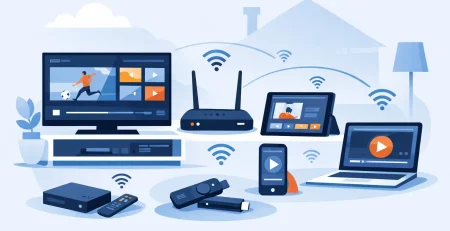
The appeal is simple. Most people do not want another device, another remote, or another expensive subscription just to watch live TV. IPTV on smart TV puts everything on the screen you already use every day, which makes the switch feel less like a project and more like a quick upgrade.
It also fits the way people actually watch TV now. One person wants live sports in the living room. Someone else wants movies in the bedroom. Another wants international channels on a second screen. Traditional cable pricing adds up fast when a household wants flexibility. IPTV gives people a lower-cost path with broader access and less friction.
That does not mean every setup is identical. The experience depends on your TV brand, app support, home internet speed, and the quality of the service you choose. But for most users in the US, the path is straightforward enough to go from signup to streaming in minutes.
What you need before you start
Before you install anything, make sure your setup covers the basics. Your smart TV needs a stable internet connection, access to an app store, and enough speed to handle HD streaming. If your Wi-Fi is weak at the TV, you may see buffering even if the service itself is fine.
You also need IPTV login details from your provider. That may come as an M3U playlist, Xtream Codes login, portal URL, or a similar format depending on the app. This matters because some smart TV apps support one login method better than another. The easiest setup usually comes from matching the app to the credentials you receive.
A newer smart TV usually gives you the best experience, but older models can still work. The trade-off is that app availability and speed may be more limited on aging systems. If your TV is slow, an external streaming device can be a better option. Still, many people can run IPTV directly on the TV without spending another dollar on hardware.
How to set up IPTV on smart TV
The exact steps vary by brand, but the process is usually quick.
Choose an IPTV player app
Most smart TVs do not come with a built-in IPTV player ready to go. You install one from the TV’s app store. Popular IPTV player apps differ by platform, so what works on Samsung may not be the same as what works on LG, Android TV, or Google TV. The right app is the one your TV supports and your provider’s login format works with.
Once installed, open the app and select the login method. Enter the details exactly as provided. A small typo in the username, password, or server address is one of the most common reasons setup fails.
Add your subscription details
After logging in, the app typically loads categories like live TV, sports, movies, and series. Some apps organize channels well right away. Others need a little cleanup, such as marking favorites or changing the display style. That is normal.
If channels do not appear instantly, give the app a minute to sync. If it still looks empty, check the credentials again before assuming something is broken. In many cases, the fix is simply correcting one field.
Test the stream quality
Open a few channels from different categories and test them. Try live sports, local channels, and one or two movie channels to get a real sense of performance. If picture quality looks soft or the stream pauses, the issue may be your internet speed, your Wi-Fi signal, or the selected stream quality.
For the best result, place the TV close to the router or use an ethernet connection if your TV supports it. Wired internet is often the easiest way to cut down buffering, especially during peak viewing hours.
Best smart TVs and platforms for IPTV
Not every smart TV handles IPTV the same way, and that is where expectations matter. Android TV and Google TV models often give users the most flexibility because they support a wider range of apps. Samsung and LG smart TVs can also work very well, but app choices may be narrower depending on the model year and region.
If your TV’s operating system feels restrictive, that does not mean IPTV is off the table. It just means you may need a different app or a simpler login method. In some cases, households start on the TV itself and later add a streaming device for a faster interface. That is not a failure. It is just a better fit for the hardware.
What matters most is not the brand name on the TV. It is whether the app is stable, the stream is reliable, and navigation feels easy enough for everyday use.
What makes the experience good or bad
People usually judge IPTV by one thing first – does it play without hassle? That is fair. But the full experience comes down to a few connected factors.
A strong provider makes a big difference. Fast activation, clear login instructions, HD channel support, and responsive customer service remove the usual friction. For households that want to start watching right after purchase, speed matters.
Your internet connection matters just as much. A premium plan cannot fix weak Wi-Fi in the far corner of the house. If multiple people are streaming at once, bandwidth becomes even more important. Multi-device households need enough speed to support that convenience.
Then there is the app itself. Some apps are clean and fast. Others are cluttered or slow to load. Even with the same subscription, one player can feel much better than another. That is why setup is not only about buying access. It is about choosing the right player for your screen and viewing habits.
Is IPTV on smart TV good for families?
For many homes, yes. It works especially well for people who want more than one type of content without paying separate services for each one. Sports fans want live coverage. Parents want news and local channels. Kids want on-demand entertainment. International households want channels from home. IPTV can cover all of that from one main setup.
The value gets stronger when a provider supports multiple connections. That gives families room to watch on several devices instead of fighting over one screen. It is one of the clearest advantages over old-school cable, where every extra box usually means extra cost.
Still, families should be realistic about their needs. If your home uses several TVs at once, make sure your plan supports that number of streams and your internet can handle it. Convenience only feels convenient when everyone can watch without interruption.
Common issues and quick fixes
The most common complaint is buffering. Start with your internet before blaming the service. Restart the router, move closer to the signal, or switch to wired internet if possible. If one channel buffers but others do not, it may be a channel-specific issue rather than a full setup problem.
Login errors are also common, especially during first-time setup. Re-enter the details carefully. Pay attention to uppercase letters, symbols, and spaces. If your app supports multiple login formats, try the one recommended by your provider.
If the app crashes or feels slow, restart the TV and reopen it. Smart TVs are convenient, but they are not always as powerful as dedicated streaming devices. A fresh restart fixes more issues than most people expect.
Why more viewers are cutting cable for IPTV
The old cable model asks people to pay more for less flexibility. IPTV flips that around. You get fast access, broad channel coverage, and support for the devices you already own. That is why the switch keeps gaining momentum with budget-conscious households across North America.
For viewers who want a lower bill without giving up live TV, IPTV on smart TV is one of the most practical upgrades available right now. It is fast to set up, easy to use, and built for the way modern households actually watch. If you want more content, less hassle, and a better deal, Crypto PAY IPTV makes that move feel simple. Get started now and put your TV to better use tonight.
The smartest setup is the one you will actually enjoy using every day, so choose the option that fits your screen, your budget, and the way your household watches.

Leave a Reply