
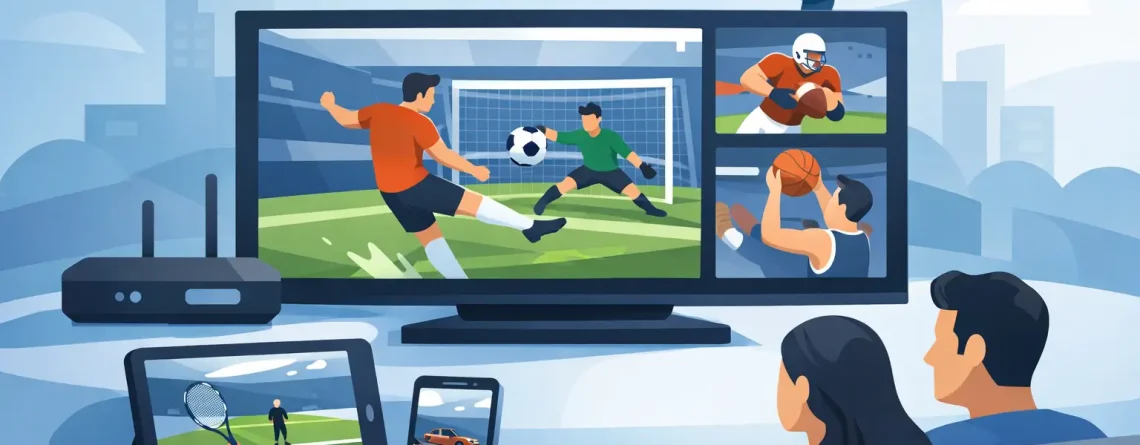
How to Watch IPTV Sports Without Cable
Saturday kickoff starts in 10 minutes, your cable app is buffering again, and the game you want is locked behind another upgrade. That is exactly why so many viewers are searching for how to watch IPTV sports without paying cable prices or dealing with long contracts. The appeal is simple – faster setup, more channels, more device freedom, and a lower monthly bill.
If your goal is live sports on your TV, phone, tablet, or laptop, IPTV can be a practical option. But the experience depends on the service you choose, your internet speed, the app you use, and the device you stream on. Get those pieces right, and watching sports feels easy. Get them wrong, and every big game turns into a troubleshooting session.
How to watch IPTV sports the right way
At its core, IPTV delivers live TV over the internet instead of through cable or satellite. For sports fans, that means you can watch live channels and event coverage through a compatible app or player on the devices you already own. The big advantage is flexibility. You are not tied to one box in one room, and you usually have far more freedom over where and how you watch.
The basic setup is straightforward. You choose a subscription, receive your login or playlist details, load them into a supported app, and start streaming. In many cases, activation takes minutes, not days. That speed matters when you want to catch tonight’s game instead of waiting around for hardware installation or support callbacks.
Still, not every IPTV setup is built equally. Sports are less forgiving than movies or regular TV because live action exposes every weakness. If the stream lags during a title fight or freezes during a red-zone drive, the low price stops feeling like a win. That is why the best approach is not just finding any service. It is finding a setup designed for live viewing, stable playback, and device compatibility.
What you need before you start
You do not need much, but the basics matter. First, you need a reliable internet connection. HD sports streams need consistency more than raw speed, though both help. If several people in your home are streaming at once, gaming, or on video calls, your connection needs enough headroom to avoid stutter during peak hours.
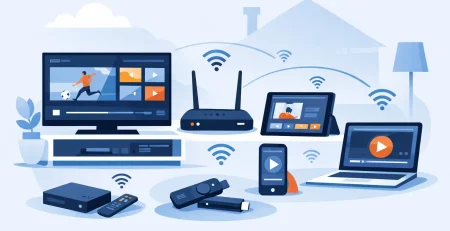
Second, you need a device that fits how you watch. Smart TVs are great for the living room. Fire TV, Android TV boxes, and similar streaming devices are popular because they are easy to set up and simple to control. Phones and tablets work well if you watch on the move. Laptops are convenient if you want a bigger screen without using the main TV.
Third, you need an IPTV player or app that supports your subscription format. Some services provide app guidance, while others simply send credentials and expect you to know what to do. If you want the fastest possible start, choose a provider that makes setup clear and keeps customer support available when you hit a snag.
Picking a service for sports, not just channels
A massive channel list looks good on a sales page, but sports viewers should care about performance first. You want stable live streams, HD quality where available, and coverage that matches the leagues and events you actually watch. A service can advertise thousands of channels, but if your main sports feeds are unreliable, the extra volume does not help much.
It also pays to think about your household. If you live alone, a single connection may be fine. If your family watches different games, movies, and local channels at the same time, multi-device support matters a lot more. That is where a provider like Crypto PAY IPTV fits naturally for budget-focused homes – fast activation, broad device compatibility, and multiple connections can make the service feel more practical, not just cheaper.
Customer support deserves more attention than most people give it. Sports do not wait. If a login fails right before game time, you want help fast. A low-cost service with real support can be a better deal than a slightly cheaper option that leaves you stuck with setup issues on your own.
Best devices for watching live sports on IPTV
For most US households, the best experience usually comes down to TV-based streaming devices. They are easier to navigate, better for long viewing sessions, and more comfortable for live games. Fire TV and Android-based devices are especially common because they support many IPTV players and tend to be simple to manage.
Smart TVs can work well too, especially if you prefer fewer cables and remotes. The trade-off is app availability. Some TVs have limited app stores, so setup can be easier on an external streaming device. If you want the least friction, that is often the smarter route.
Phones and tablets are ideal for portability. They are perfect for commuting, travel, or keeping a second game on while the main TV is busy. The downside is screen size and battery life. Laptops sit in the middle – larger display, flexible viewing, and easy access when you are working or moving between rooms.
How to get better stream quality during games
If you are learning how to watch IPTV sports, stream quality is where the real difference shows up. Sports need smooth motion, quick channel loading, and stable playback under pressure. A service can look great on a quiet weekday afternoon and struggle during a major live event when traffic spikes.
The easiest upgrade is switching from Wi-Fi to wired internet if your device supports it. Ethernet usually gives you a more stable connection, which helps during live broadcasts. If wired is not an option, place your router closer to your streaming device or use a strong mesh setup to reduce drop-offs.
App performance matters too. Some players handle live streams more smoothly than others, especially when it comes to buffering and channel switching. If your stream quality feels inconsistent, the issue may not be the subscription alone. Sometimes changing the player app improves the experience immediately.
You should also be realistic about video quality settings. If your connection struggles with higher resolutions during peak times, dropping to a slightly lower quality can give you a much more stable game. For sports, consistency often beats chasing the highest possible resolution.
Common problems and the fast fix
Buffering is the complaint most people notice first. In many cases, it comes from overloaded Wi-Fi, background downloads, or a device with limited memory. Restarting the app, clearing background activity, and rebooting your device can solve more than people expect.
Login issues are also common, especially when users enter playlist URLs or account details incorrectly. Double-check every character. Copy and paste when possible. If your provider offers guided setup, use it. The fastest path is usually the simplest one.
Channel loading delays can happen during major live events. That does not always mean the service is bad. Sometimes switching channels and returning, refreshing the playlist, or trying another supported app gets things moving again. Sports streaming has variables, so a little flexibility goes a long way.
Is IPTV a good fit for sports fans?
For a lot of viewers, yes. If you want a cheaper alternative to cable, more screen flexibility, and fast setup, IPTV can be a strong option. It is especially attractive for households that want sports, movies, local channels, and international content in one place without stacking multiple expensive subscriptions.
That said, the right choice depends on what you value most. If you want absolute simplicity and never want to touch settings, traditional services may still feel easier. If you care more about affordability, broad access, and watching across multiple devices, IPTV starts looking like the smarter move.
The biggest win is control. You decide where you watch, what device you use, and how much you spend. For sports fans tired of cable pricing and slow setup, that is a serious upgrade.
The smarter way to start
The best way to start is small and practical. Make sure your internet is solid, choose a device you already like using, and pick a service built for quick activation and live viewing. Do not get distracted by giant promises alone. Focus on support, compatibility, and real sports performance.
Once your setup is right, game day gets much easier. You turn on the stream, find your match, and watch without the usual cable hassle. That is the real value here – less friction, lower cost, and more ways to catch the action when it matters most.


Leave a Reply